Beiträge getaggt mit Exasol
Using DbVisualizer to work with #Oracle, #PostgreSQL and #Exasol
As a Database Developer or Database Administrator, it becomes increasingly unlikely that you will work with only one platform.
It’s quite useful to have one single tool to handle multiple different database platforms. And that’s exactly the ambition of DbVisualizer.
As a hypothetical scenario, let’s assume you are a database admin who works on a project to migrate from Oracle to EDB Postgres and Exasol.
The goal might be to replace the corporate Oracle database landscape, moving the OLTP part to EDB Postgres and the DWH / Analytics part to Exasol.
Instead of having to switch constantly between say SQL Developer, psql and EXAplus, a more efficient approach would be using DbVisualizer for all three.
I created one connection for each of the three databases here for my demo: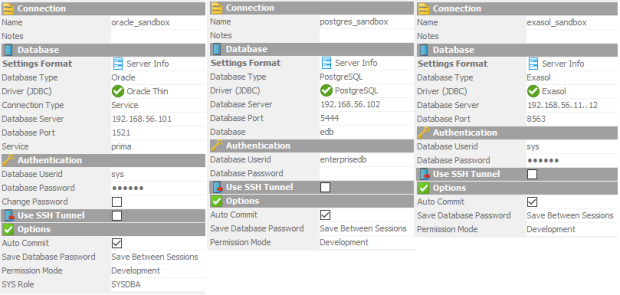 Now let’s see if statements I do in Oracle also work in EDB Postgres and in Exasol:
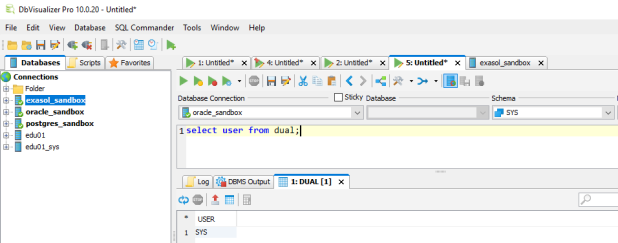
Oracle
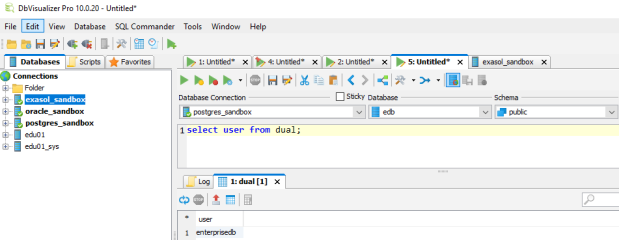
EDB
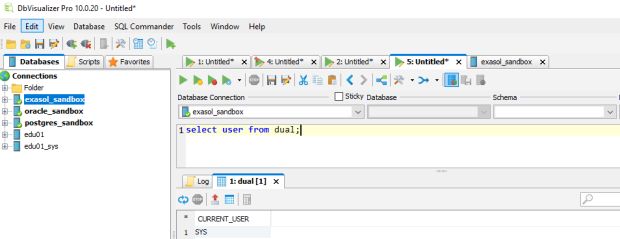
Exasol
Works the same for all three! The convenient thing here is that I just had to select the Database Connection from the pull down menu while leaving the statement as it is. No need to copy & paste even.
What about schemas and tables?
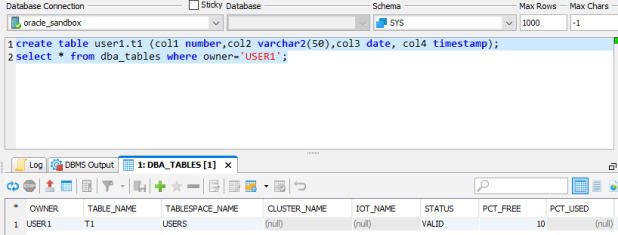
Oracle
In EDB, I need to create a schema accordingly:
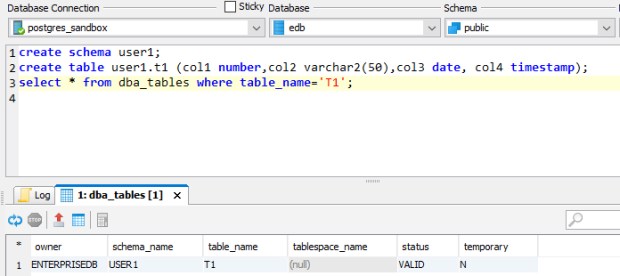
EDB
In Exasol, schema and table can be created in the same way:
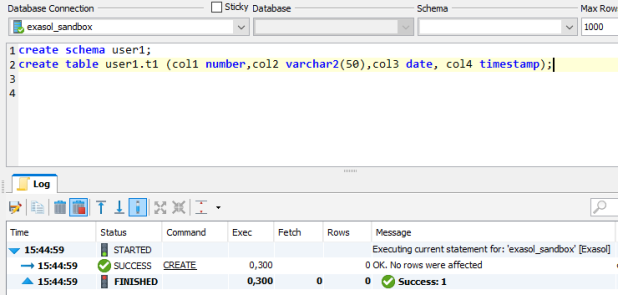
Exasol
Notice that the data types got silently translated into the proper Exasol data types:
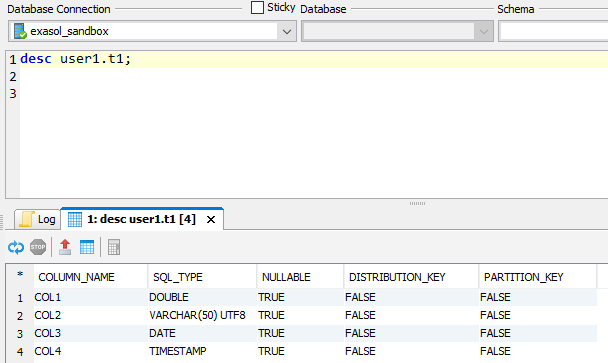
Exasol
There is no DBA_TABLES in Exasol, though:
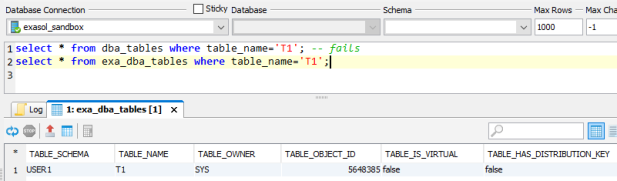
Exasol
Of course, there’s much more to check and test upon migration, but I think you got an idea how a universal SQL Client like DbVisualizer might help for such purposes.
Check out also this about 2 Minutes video clip that we recorded about DbVisualizer as part of our Exasol Guidance series:
Why you cannot use #Oracle’s SQL Developer to connect to #Exasol
Many of our customers are using Oracle together with SQL Developer, so this question comes up regularly: Can we use SQL Developer also for Exasol?
Short answer is: Unfortunately not.
I tried myself to make that work with no success. Then I found this on Stackoverflow:
Jeff Smith: „No, that’s not supported. SQL Developer’s 3rd party JDBC connectivity is provided for one use case – migrations to Oracle Database.
There’s no support on that for Exasol DB, so there’s no connectivity support provided.
If you want a generic jdbc db client, that’s not Oracle SQL Developer.“ [Highlighted by me]
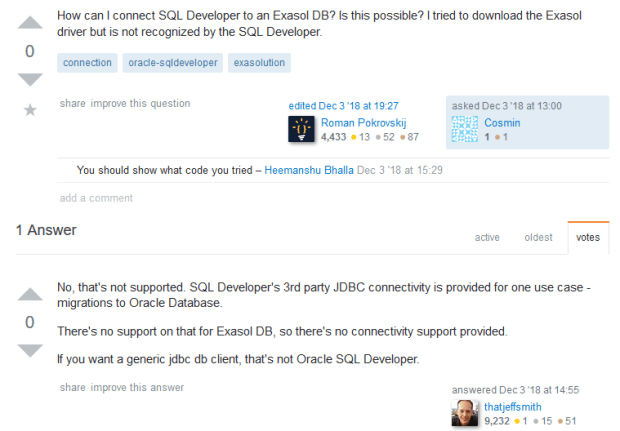
Jeff Smith is not just someone from the internet: Besides of having a high reputation for being helpful in public forums, he’s also Oracle’s Product Manager for SQL Developer.
So that means SQL Developer doesn’t connect to Exasol because it’s not supposed to do that. It’s not so much a technical but a „political“ reason behind it.
We as Exasol can’t do anything about it. You as an Oracle customer who wants this to work could request that from Oracle. But don’t hold your breath until they allow it 🙂
Free online courses to learn about #Exasol
Why should you bother? Because Exasol is the fastest analytical database in the world, outperforming any competitor. Therefore, expertise about Exasol might soon be very valuable also in your company.
Free training helps us to spread the knowledge in a scalable way, empowering customers across the globe to get the best out of Exasol and supporting our rapid growth.
Visit training.exasol.com to see our training & certification curriculum. The free online courses are branded as „Exacademy“:
My favorites are the Admin courses there 🙂 You will create your own virtualized Exasol Cluster on your local machines if you go through Admin Essentials + Admin on premises. I know having your personal sandbox can be very instructive because that’s what I was using myself to better understand Exasol clusters before developing these courses.
When I create course material, I always ask myself: What would I want to get from this course if I attended it? And that’s what I try to put in: To the point, no nonsense, just stuff that works and helps to understand. Hope you find it useful 🙂
Pickleball spielen auf YouTube


 Pickleball spielen