Archiv für die Kategorie TOI
Getting started with Hyper-V on Windows 10
Microsoft Windows 10 comes with its own virtualization software called Hyper-V. Not for the Windows 10 Home edition, though.
Check if you fulfill the requirements by opening a CMD shell and typing in systeminfo:

The below part of the output from systeminfo should look like this:

If you see No there instead, you need to enable virtualization in your BIOS settings.
Next you go to Programms and Features and click on Turn Windows features on or off:
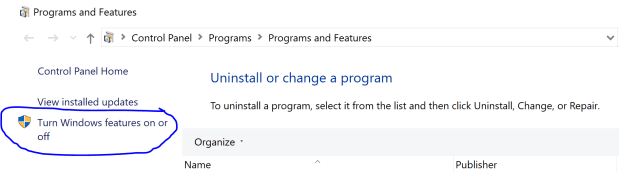
You need Administrator rights for that. Then tick the checkbox for Hyper-V:

That requires a restart at the end:
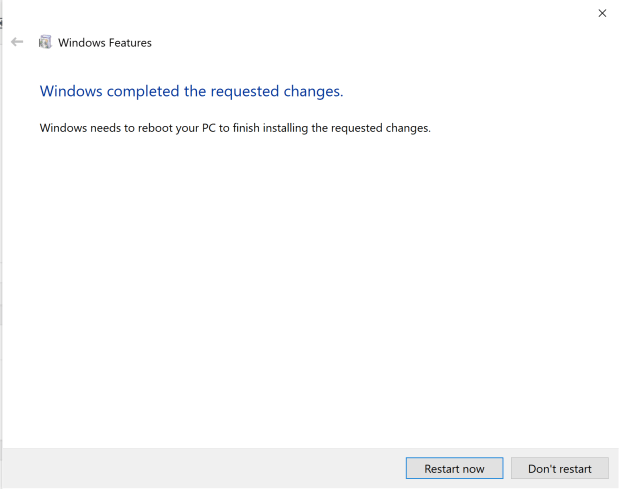
Afterwards you can use the Hyper-V Manager:
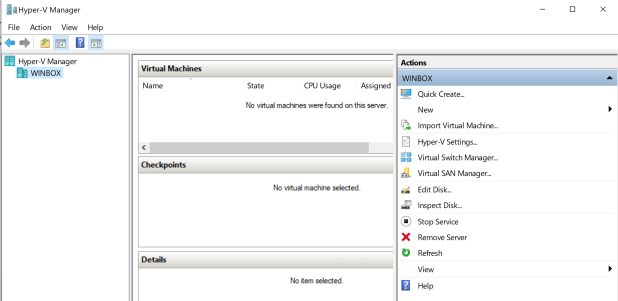
Hyper-V can do similar things than VMware or VirtualBox. It doesn’t play well together with VirtualBox in my experience, though: VirtualBox VMs refused to start with errors like „VT-x is not available“ after I installed Hyper-V. I also found it a bit trickier to handle than VirtualBox, but that’s maybe just because of me being less familiar with it.
The reason I use it now is because one of our customers who wants to do an Exasol Administration training cannot use VirtualBox – but Hyper-V is okay for them. And now it looks like that’s also an option. My testing so far shows that our educational cluster installation and management labs work also with Hyper-V.
Decision Support Benchmark TPC-H won by #Exasol
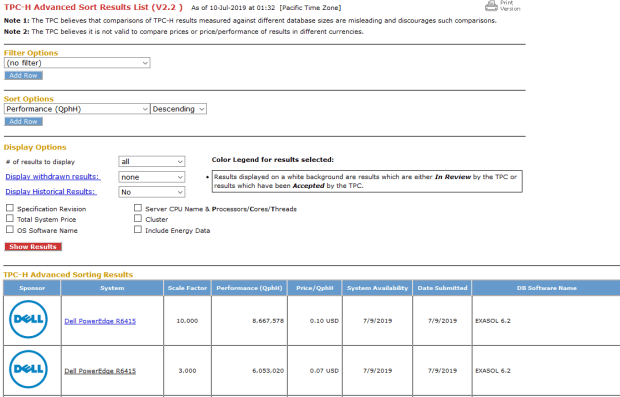
Oops, we did it again 🙂 Exasol just won the TPC-H benchmark in the categories 3 TB and 10 TB database sizes.
The TPC-H benchmark is designed for decision support systems respectively for analytical workloads.
That proves again that Exasol really is the fastest analytical database in the world!
We’re leading both in pure performance and price/performance.
To quote our engineers who worked on that benchmark:
„The results are beaten in performance only by our own historical results on much more hardware, in price-performance we are the best ever.
Our performance per CPU core improved significantly compared to 2014.“
Just wow!
Using DbVisualizer to work with #Oracle, #PostgreSQL and #Exasol
As a Database Developer or Database Administrator, it becomes increasingly unlikely that you will work with only one platform.
It’s quite useful to have one single tool to handle multiple different database platforms. And that’s exactly the ambition of DbVisualizer.
As a hypothetical scenario, let’s assume you are a database admin who works on a project to migrate from Oracle to EDB Postgres and Exasol.
The goal might be to replace the corporate Oracle database landscape, moving the OLTP part to EDB Postgres and the DWH / Analytics part to Exasol.
Instead of having to switch constantly between say SQL Developer, psql and EXAplus, a more efficient approach would be using DbVisualizer for all three.
I created one connection for each of the three databases here for my demo: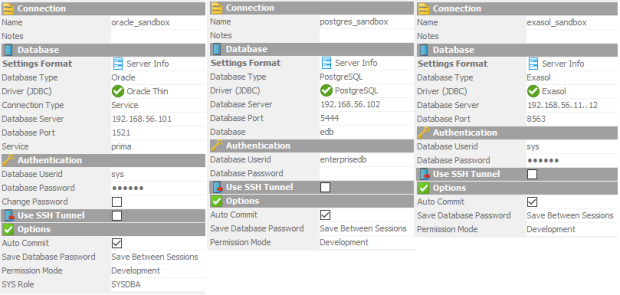 Now let’s see if statements I do in Oracle also work in EDB Postgres and in Exasol:
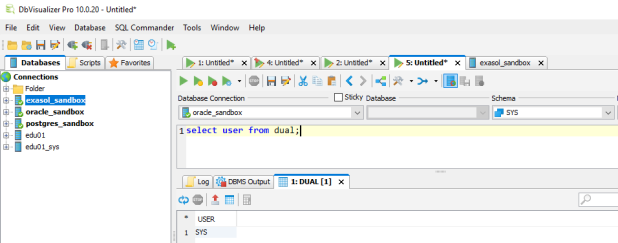
Oracle
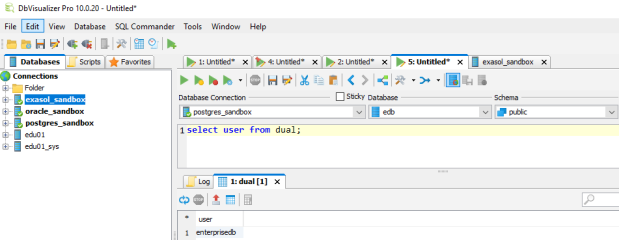
EDB
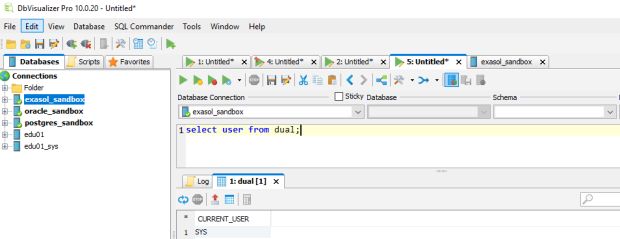
Exasol
Works the same for all three! The convenient thing here is that I just had to select the Database Connection from the pull down menu while leaving the statement as it is. No need to copy & paste even.
What about schemas and tables?
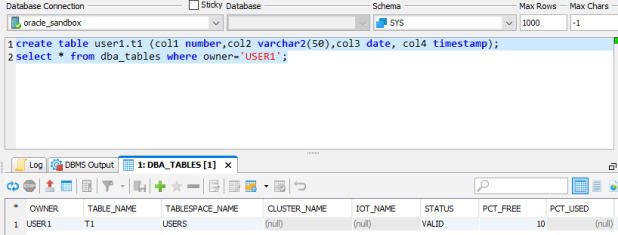
Oracle
In EDB, I need to create a schema accordingly:
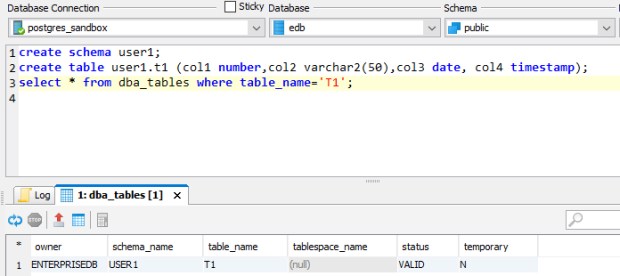
EDB
In Exasol, schema and table can be created in the same way:
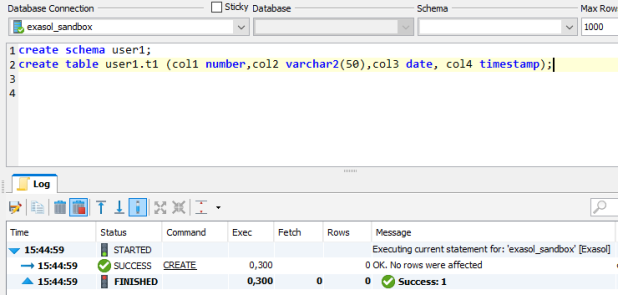
Exasol
Notice that the data types got silently translated into the proper Exasol data types:
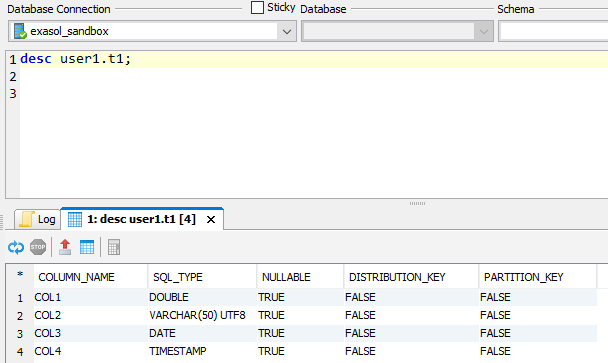
Exasol
There is no DBA_TABLES in Exasol, though:
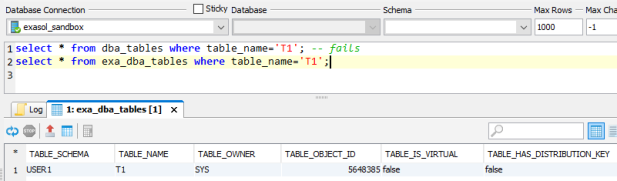
Exasol
Of course, there’s much more to check and test upon migration, but I think you got an idea how a universal SQL Client like DbVisualizer might help for such purposes.
Check out also this about 2 Minutes video clip that we recorded about DbVisualizer as part of our Exasol Guidance series:
-
Du durchsuchst derzeit die Archive der Kategorie TOI.
Pickleball spielen auf YouTube


 Pickleball spielen