Archiv für Juni 2018
How to do EXPORT / IMPORT between #Exasol and #Oracle
The commands IMPORT and EXPORT provide an easy way to transfer data between Exasol and other data sources like an Oracle database. You may at first get this error message: Oracle instant client not available. Please ask your administrator to install it via EXAoperation.
Here’s how to do that yourself without having to ask your admin 🙂
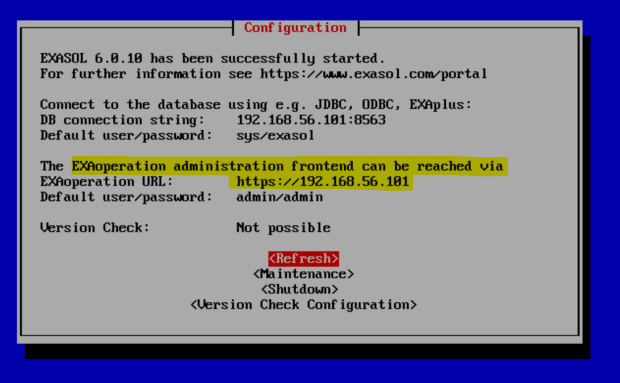
I’m using the free Exasol Community Edition. The highlighted part shows how to access ExaOperation, then click Software:
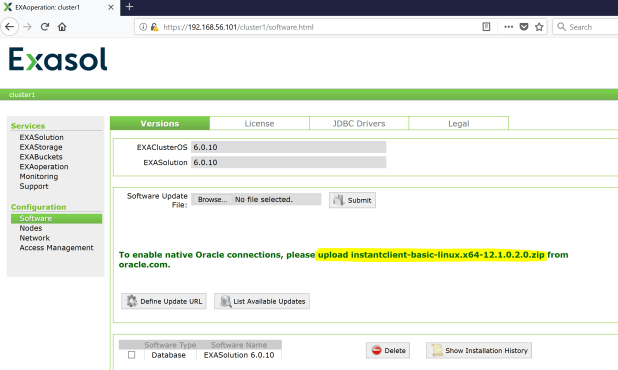
Now go to Oracle Downloads and pick the right Instant Client as shown on the picture.

Back in ExaOperation, you upload that ZIP-file from where you downloaded it on your local machine, then hit Submit:
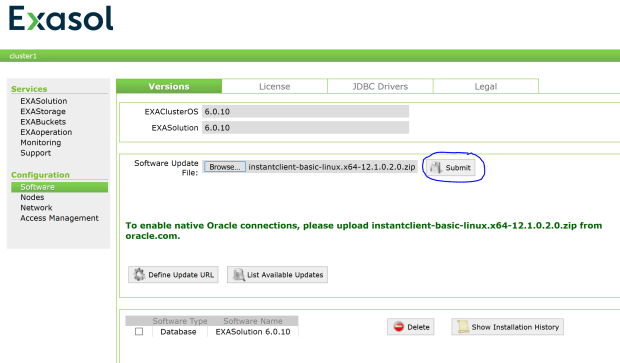
And that’s already it – you may check with Show Installation History.
First I prepare my Oracle sandbox:
λ sqlplus sys/oracle@orcl as sysdba

SQL*Plus: Release 12.2.0.1.0 Production on Fri Jun 29 13:39:04 2018

Copyright (c) 1982, 2016, Oracle.  All rights reserved.

Connected to:
Oracle Database 12c Enterprise Edition Release 12.2.0.1.0 - 64bit Production

SQL> create user ora_user identified by ora_password;

User created.

SQL> grant dba to ora_user;

Grant succeeded.

SQL> create table ora_user.ora_table (n number, m varchar2(20));

Table created.

SQL> insert into ora_user.ora_table values (1,'JUST SOME TEXT');

1 row created.

SQL> commit;

Commit complete.
The connect descriptor orcl above is resolved by a textfile named tnsnames.ora:
λ type c:\oracle\instantclient_12_2\network\admin\tnsnames.ora
ORCL =
  (DESCRIPTION =
    (ADDRESS = (PROTOCOL = TCP)(HOST = 192.168.56.102)(PORT = 1521))
    (CONNECT_DATA =
      (SERVER = DEDICATED)
      (SERVICE_NAME = orcl)
    )
  )
Just to clarify: I have two different Instant Clients involved here, one for the Exasol database platform (Linux) and one for my local machine (Windows). The latter is not mandatory for the IMPORT command to work. I just find it convenient to be able to connect to the Oracle database from the same machine where I connect to Exasol. Also installing SQL*Plus is not mandatory.
Now I continue to prepare my Exasol sandbox:
C:\Program Files (x86)\EXASOL\EXASolution-6.0\EXAplus
λ exaplusx64 -c 192.168.56.101:8563 -u sys -p exasol -lang EN
EXAplus 6.0.8 (c) EXASOL AG

Friday, June 29, 2018 3:09:10 PM CEST
Connected to database EXAone as user sys.
EXASolution 6.0.8 (c) EXASOL AG

SQL_EXA> create schema exa_schema;
EXA: create schema exa_schema;

Rows affected: 0

SQL_EXA> create table exa_schema.exa_table (col1 double, col2 varchar(30));
EXA: create table exa_schema.exa_table (col1 double, col2 varchar(30));

Rows affected: 0

SQL_EXA> insert into exa_schema.exa_table values (2,'ANOTHER TEXT');
EXA: insert into exa_schema.exa_table values (2,'ANOTHER TEXT');

Rows affected: 1
Now there’s one table in Exasol and a similar table in Oracle. Next step is to create a connection from Exasol to Oracle:
create or replace connection ora_conn to
'(DESCRIPTION =
    (ADDRESS = (PROTOCOL = TCP)(HOST = 192.168.56.102)(PORT = 1521))
    (CONNECT_DATA =
      (SERVER = DEDICATED)
      (SERVICE_NAME = orcl)
    )
  )'
user 'ora_user' identified by 'ora_password';
Notice the highlighted part that is identical to the tnsnames.ora content highlighted above. Now we are ready to transfer data between the two databases. Oracle to Exasol:
SQL_EXA> import into exa_schema.exa_table from ora at ora_conn table ora_user.ora_table;
EXA: import into exa_schema.exa_table from ora at ora_conn table ora_user.o...

Rows affected: 1

SQL_EXA> select * from exa_schema.exa_table;
EXA: select * from exa_schema.exa_table;

COL1              COL2
----------------- ------------------------------
                2 ANOTHER TEXT
                1 JUST SOME TEXT

2 rows in resultset.
The other way: Exasol to Oracle
SQL_EXA> export exa_schema.exa_table into ora at ora_conn table ora_user.ora_table;
EXA: export exa_schema.exa_table into ora at ora_conn table ora_user.ora_ta...

Rows affected: 2
Let’s check how that looks at the Oracle side now:
λ sqlplus sys/oracle@orcl as sysdba

SQL*Plus: Release 12.2.0.1.0 Production on Fri Jun 29 15:24:52 2018

Copyright (c) 1982, 2016, Oracle.  All rights reserved.


Connected to:
Oracle Database 12c Enterprise Edition Release 12.2.0.1.0 - 64bit Production

SQL> select * from ora_user.ora_table;

         N M
---------- --------------------
         1 JUST SOME TEXT
         2 ANOTHER TEXT
         1 JUST SOME TEXT
Easy, isn’t it? Some more examples:
SQL_EXA> import into exa_schema.exa_table (col2) from ora at ora_conn
                 statement 'select m from ora_user.ora_table where n=2';
EXA: import into exa_schema.exa_table (col2) from ora at ora_conn statement...

Rows affected: 1

SQL_EXA> select * from exa_schema.exa_table;
EXA: select * from exa_schema.exa_table;

COL1              COL2
----------------- ------------------------------
                2 ANOTHER TEXT
                1 JUST SOME TEXT
                  ANOTHER TEXT

3 rows in resultset.
SQL_EXA> export (select col1 from exa_schema.exa_table where col2 like 'JUST%') into ora at ora_conn
            statement 'insert into ora_user.ora_table (n) values (:1)';
EXA: export (select col1 from exa_schema.exa_table where col2 like 'JUST%')...

Rows affected: 1
SQL> select * from ora_user.ora_table;

         N M
---------- --------------------
         1 JUST SOME TEXT
         1
         2 ANOTHER TEXT
         1 JUST SOME TEXT
Check the fine manual for some more details: https://www.exasol.com/portal/display/DOC/Database+User+Manual
#Exasol’s annual conference in Berlin #XP18
We have had our annual conference Xperience in Berlin again – it was an amazing event with a packed agenda full of customer success stories and technical news. This year at the Umspannwerk.

My assumption is that we will need a larger location next year because of our constant growth – it was a bit tight already this time 🙂
Many great talks have been presented, so just a few highlights from my point of view:
Our CEO Aaron Auld delivered an inspiring kick-off talk together with CTO Mathias Golombek
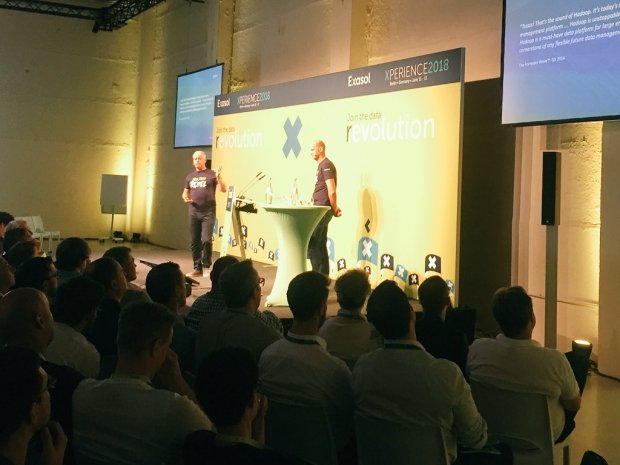
I liked in particular when he told us that boring old reliable technology like RDBMS is still relevant and worth to be improved – this is what we do for a living in the end.
Great success story by Magnus Slind-Näslund from Dailymotion who reported significant performance improvements due to the usage of Exasol!
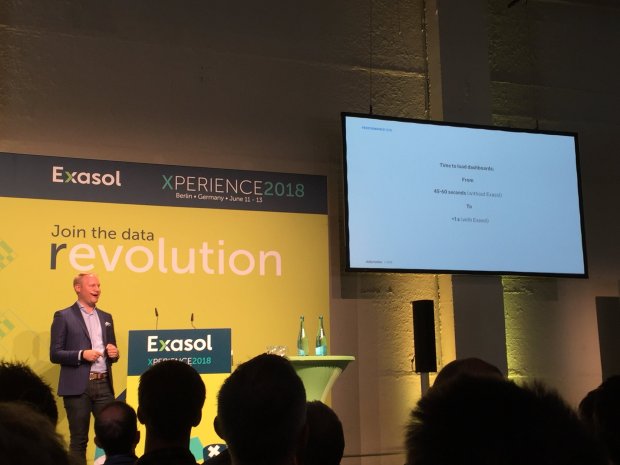
Similar the experience shared by Steve Templeton from Arby’s Restaurant Group who came all the way from the US to tell us:

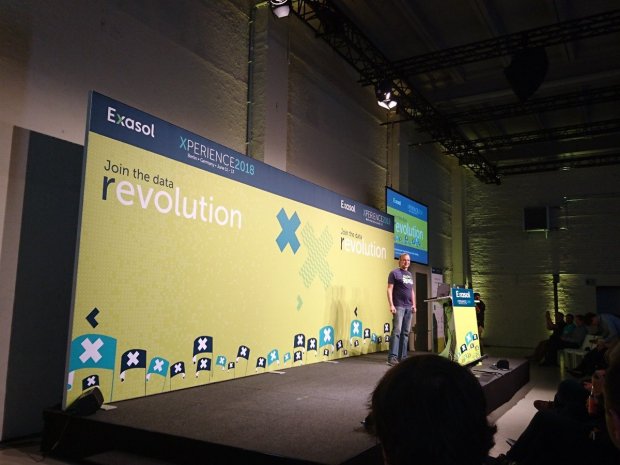
One highlight on day 2 was the presentation by Jens Graupmann about our future roadmap and what’s new in version 6.1 of Exasol
Another was the excellent talk and live demo of DBVisualizer by Thomas Bestfleisch:
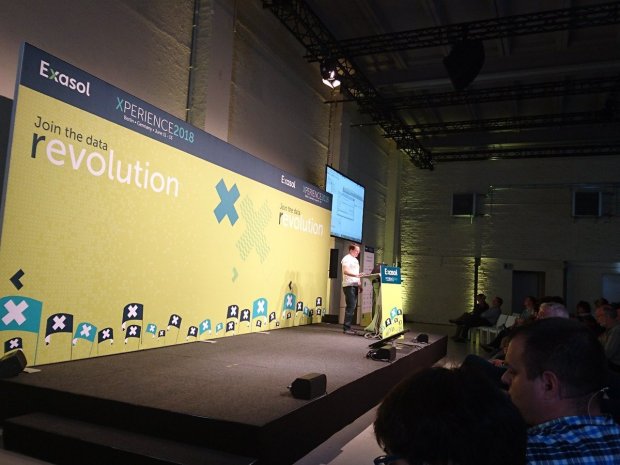
We learned that Exaplus will be replaced by DBVisualizer as our standard SQL client starting from version 6.1 and for good reason, because the latter is far more powerful as Thomas showed.
Many more great presentations were to be seen of course. And one common denominator from all the customer presentations and all conversations with customers I encountered was how satisfied they are with the Exasol technology, the striking performance and especially also with the attitude our staff demonstrates towards them.
Be it with consulting or support, our customers feel they are valued by us and their demands and (rare) complaints are taken serious. This is something we must keep up in the future throughout our growth! Aaron rightly emphasized that in his goodbye talk at the end of this great event.
-
Du durchsuchst gerade das Archiv nach Juni 2018
Pickleball spielen auf YouTube


 Pickleball spielen