Archiv für die Kategorie TOI
Real-Time SQL Monitoring with Database Control
Another Oracle Database 11g Release 2 „Enterprise Manager New Feature“ is Real-Time SQL Monitoring. On the command line, that was already possible with 11g Release 1, where the views V$SQL_MONITOR and V$SQL_PLAN_MONITOR have been introduced. Now with the new Release, we can do that with the GUI. I have prepared a little demonstration for that by creating a larger sales table (560 M), so that the select statement takes more than 30 seconds on my tiny system. That gives me enough time to watch it real-time and capture the screen:
First we go to the Performance page, Top Activity as usual to spot our High Load statements. Notice the additional card named SQL Monitoring
 The statement did run several times before, so there are already statistics from previous runs on the screen. Now while the statement is running, we can leave the refresh rate to 15 seconds or refresh manually:
 The statement is shown with a duration of 20 seconds and still running. After completion, the screen looks like that:
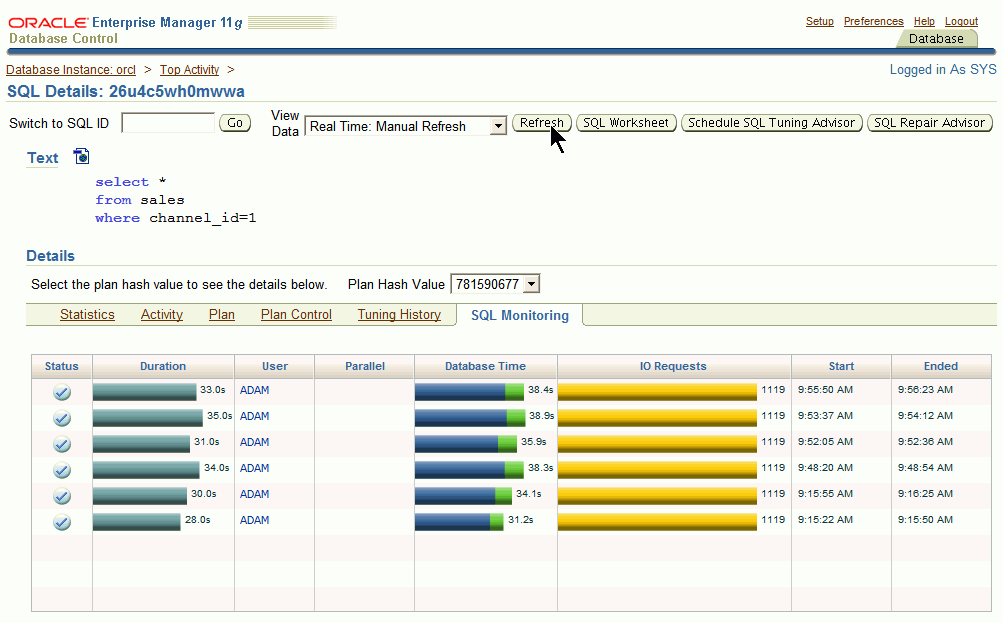
Now isn’t that a nice feature to observe the most critical and long running statements in Real-Time?
P.S.: As I just got aware (thanks to Niall Litchfield) this was already possible with Database Control in Release 1 – just from a less obvious place in that tool. So just take it as a 11g New Feature, not as 11g R2 New Feature 🙂
New look of Oracle Enterprise Manager Database Control 11gR2
Finally I had the time to install the new release on my virtual machine. I first installed the new Oracle Enterprise Linux 5.4 and then Oracle Database 11.2.0.1 Enterprise Edition. After the usual Linux customizations (less than the last time, though), the Database installation itself was pretty fast & easy. Boy that was much harder in the old days with version 7 🙂
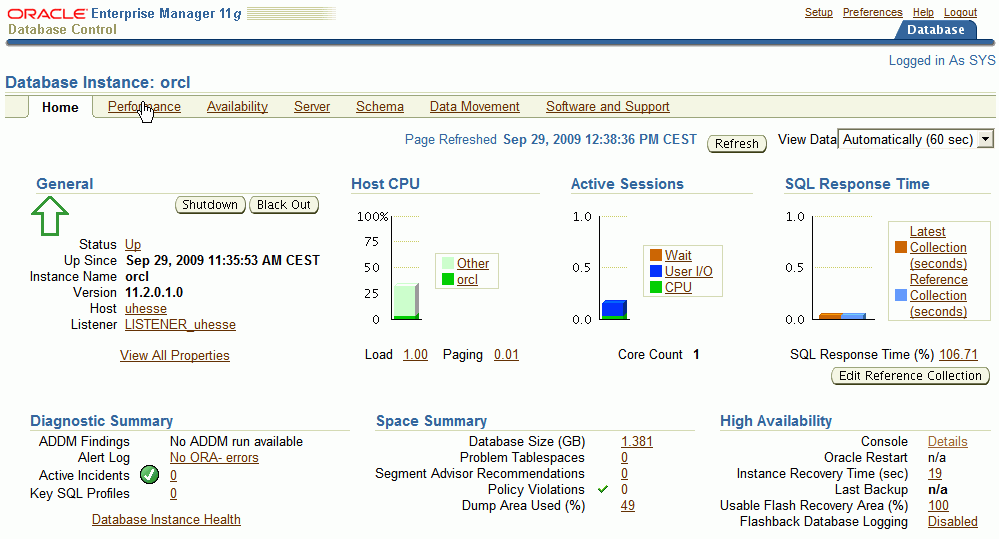
From an Oracle Instructors perspective, one major improvement of the new release is very obvious and needed: The links of Database Control are no longer in this incredible bad visible light blue! That was quite a problem, especially if you are teaching with a beamer. I will come to the other important new features of 11gR2 later on 🙂
How do NOLOGGING operations affect RECOVERY?

You are allowed to suppress redo generation for certain statements, especially for CREATE TABLE AS SELECT, INSERT INTO … SELECT and CREATE INDEX. If backups have been taken of the related datafiles after these operations, everything is ok. You simply saved time during the above mentioned operations. But what if these datafiles actually get damaged before a successful backup?
I setup a demo scenario for that:
SQL> grant dba to adam identified by adam;
Grant succeeded.

SQL> connect adam/adam
Connected.

SQL> create tablespace tbs
 datafile '/u01/app/oracle/oradata/orcl/tbs01.dbf'
 size 100m;

Tablespace created.

SQL> create table t tablespace tbs as
 select rownum as id, 'Just some text' as col
 from dual connect by level <= 1e5; Table created. RMAN> backup tablespace tbs;

Starting backup at 15-SEP-09
[...]
Finished backup at 15-SEP-09
No NOLOGGING yet, as v$datafile shows. But then I create an index with NOLOGGING:
SQL>  select file#,to_char(UNRECOVERABLE_TIME,'yyyy-mm-dd:hh24:mi:ss')
 from v$datafile where file#=18;

 FILE# TO_CHAR(UNRECOVERAB
---------- -------------------
 18

SQL> create index i on t(id) tablespace tbs nologging;

Index created.

SQL> select file#,to_char(UNRECOVERABLE_TIME,'yyyy-mm-dd:hh24:mi:ss')
 from v$datafile where file#=18;

 FILE# TO_CHAR(UNRECOVERAB
---------- -------------------
 18 2009-09-15:16:21:18

RMAN> report unrecoverable;

using target database control file instead of recovery catalog
Report of files that need backup due to unrecoverable operations
File Type of Backup Required Name
---- ----------------------- -----------------------------------
18   full or incremental     /u01/app/oracle/oradata/orcl/tbs01.dbf
I pretend the datafile 18 is damaged now, set if offline, restore it from backup and recover it. Of course, the index does not get recovered since we have no redo protocol from the modified index blocks in the archived logs or online logs!
RMAN> sql "alter database datafile 18 offline";

using target database control file instead of recovery catalog
sql statement: alter database datafile 18 offline

RMAN> restore datafile 18;

Starting restore at 15-SEP-09
[...]
channel ORA_DISK_1: restore complete, elapsed time: 00:00:03
Finished restore at 15-SEP-09

RMAN> recover datafile 18;

Starting recover at 15-SEP-09
using channel ORA_DISK_1

starting media recovery
media recovery complete, elapsed time: 00:00:00

Finished recover at 15-SEP-09

RMAN>  sql "alter database datafile 18 online";

sql statement: alter database datafile 18 online
If now the index gets used, an error message is raised. But attention: The status of the index does not get UNUSABLE!
SQL> select * from t where id=42;
select * from t where id=42
 *
ERROR at line 1:
ORA-01578: ORACLE data block corrupted (file # 18, block # 397)
ORA-01110: data file 18: '/u01/app/oracle/oradata/orcl/tbs01.dbf'
ORA-26040: Data block was loaded using the NOLOGGING option

SQL> select index_name,status,logging
 from user_indexes where tablespace_name='TBS';

INDEX_NAME                     STATUS   LOG
------------------------------ -------- ---
I                              VALID    NO
We can find out what index is causing the problem with the LOGGING column of USER_INDEXES as above. Again attention: We can not simply REBUILD the index now!
SQL> alter index i rebuild nologging;
alter index i rebuild nologging
*
ERROR at line 1:
ORA-01578: ORACLE data block corrupted (file # 18, block # 397)
ORA-01110: data file 18: '/u01/app/oracle/oradata/orcl/tbs01.dbf'
ORA-26040: Data block was loaded using the NOLOGGING option
Only after setting the index to UNUSABLE, we can REBUILD it:
SQL> alter index i unusable;

Index altered.

SQL> alter index i rebuild nologging;

Index altered.

SQL> select file#,to_char(UNRECOVERABLE_TIME,'yyyy-mm-dd:hh24:mi:ss')
 from v$datafile where file#=18;

 FILE# TO_CHAR(UNRECOVERAB
---------- -------------------
 18 2009-09-15:16:30:36
If we take a RMAN backup now, still v$datafile is not affected, but RMAN does no longer report the file as UNRECOVERABLE:
RMAN> backup tablespace tbs;

Starting backup at 15-SEP-09
[...]
channel ORA_DISK_1: backup set complete, elapsed time: 00:00:01
Finished backup at 15-SEP-09

RMAN> report unrecoverable;

Report of files that need backup due to unrecoverable operations
File Type of Backup Required Name
---- ----------------------- -----------------------------------
"No file shown"
How does the table t behave if I now do an INSERT with NOLOGGING into it?
SQL> alter table t nologging;

Table altered.

SQL> insert /*+ append */ into t select * from t;

100000 rows created.

SQL> commit;

Commit complete.

SQL> select file#,to_char(UNRECOVERABLE_TIME,'yyyy-mm-dd:hh24:mi:ss')
 from v$datafile where file#=18;

 FILE# TO_CHAR(UNRECOVERAB
---------- -------------------
 18 2009-09-15:16:34:07

RMAN> sql "alter database datafile 18 offline";

using target database control file instead of recovery catalog
sql statement: alter database datafile 18 offline

RMAN> restore datafile 18;

Starting restore at 15-SEP-09
[...]
Finished restore at 15-SEP-09

RMAN> recover datafile 18;

Starting recover at 15-SEP-09
using channel ORA_DISK_1

starting media recovery
media recovery complete, elapsed time: 00:00:02

Finished recover at 15-SEP-09

RMAN>  sql "alter database datafile 18 online";

sql statement: alter database datafile 18 online
I again pretended the file was damaged, restored it from backup and recovered it. As soon as rows are now demanded that got into the table with the direct load via the NOLOGGING operation, error messages are returned:
SQL> select count(*) from t where rownum<=1e5;
COUNT(*)
----------
100000
SQL> select count(*) from t where rownum<=1e5+1;
select count(*) from t where rownum<=1e5+1
 *
ERROR at line 1:
ORA-01578: ORACLE data block corrupted (file # 18, block # 368)
ORA-01110: data file 18: '/u01/app/oracle/oradata/orcl/tbs01.dbf'
ORA-26040: Data block was loaded using the NOLOGGING option
There is no way to get these rows back (at least not with recovery) since we suppressed the redo protocol during their generation. That is the price we pay for the speedup of the insert here…
-
Du durchsuchst derzeit die Archive der Kategorie TOI.
Pickleball spielen auf YouTube


 Pickleball spielen